ANALYST FIELD GUIDE / IMAGE VERIFICATION
A convincing photograph can tell the wrong story. Verify the claim, trace the image and record what the evidence actually supports before you share it.
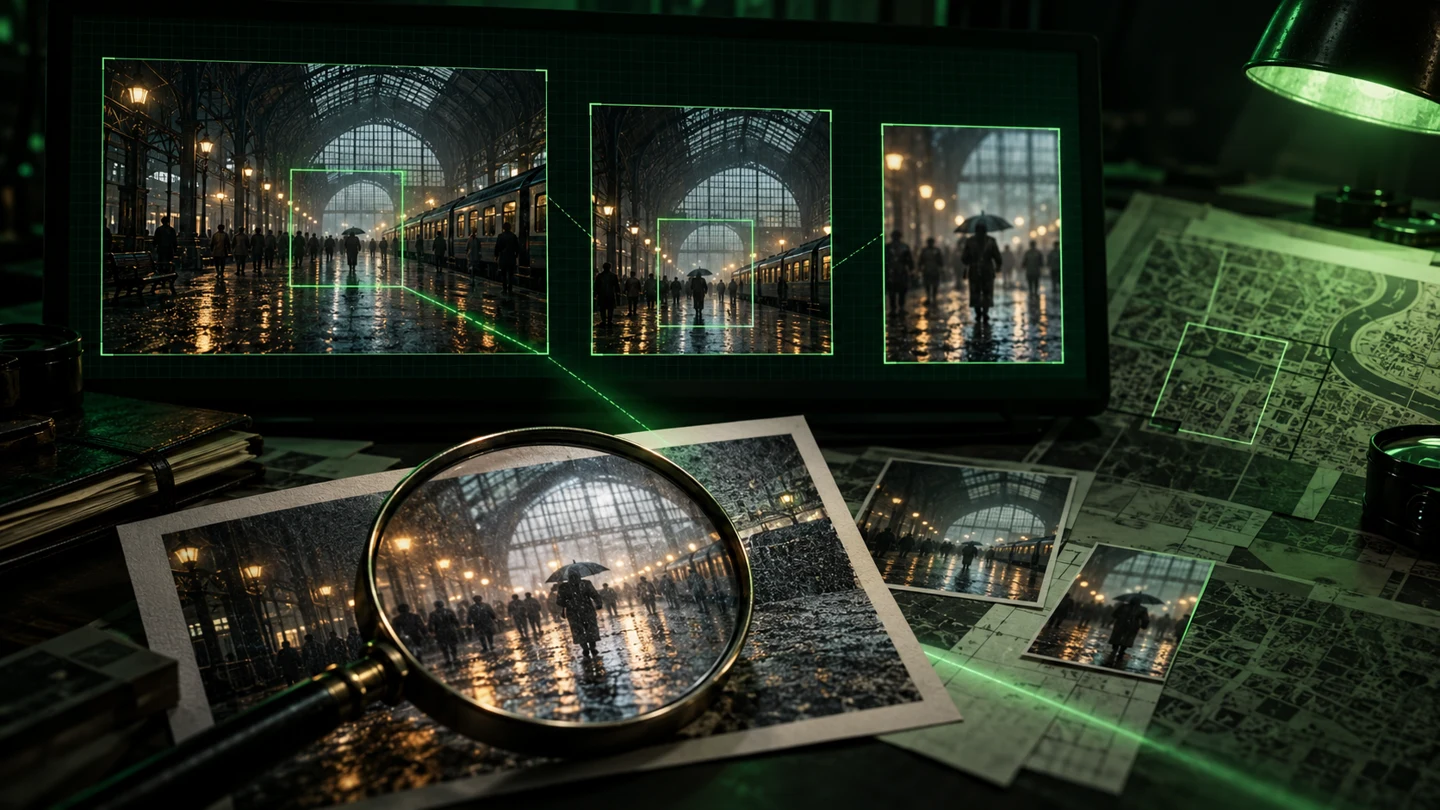
How to verify a viral image: a 7-step OSINT workflow
When a striking image arrives with an urgent caption, the temptation is to decide first and investigate later. Slow the process down. Your task is to test a specific claim, rather than find enough details to defend an initial impression.
Write down the exact claim
Separate observable details from assertions. “The image shows standing water beside a platform” is an observation. “This station flooded this morning” adds a location, date and interpretation that still need support. Put each claim on its own line and decide what evidence would confirm or contradict it.
Preserve the source context
Record the public URL, account or publisher, displayed timestamp, time zone if available, caption and the date you accessed it. Keep a private research note showing which version you examined. If an original file is lawfully available, preserve it separately from edited working copies. A screenshot alone may omit the page context.
Use public material you are entitled to access. Keep personal details out of published notes unless they are necessary and justified.
Look for earlier versions
Search the complete image, then try a distinctive crop: a roof structure, sign, skyline or unusual object. Bellingcat’s reverse-image-search directory lists several tools, so you can compare the leads different services return. An older matching publication can challenge a “just happened” caption, but the oldest result you find is only the earliest located version—not automatically the original.
No search match does not establish authenticity. Images can be new, altered, poorly indexed or unavailable to the search service.
Test the location with multiple landmarks
Compare stable visible features: roof geometry, platform layout, road alignment, buildings or distinctive terrain. Ask whether a proposed location explains several details together. One similar sign or building is a starting point, not a completed geolocation. Record discrepancies alongside matches.
Build observation skills in the Geolocation & Tracking case sector. Its scenarios are fictional exercises; do not turn invented identities into real-world targets.
Check time and context separately
Compare publication history with dated reporting or other relevant public records. Distinguish the upload time from the capture time. Weather, clothing and shadows may provide clues, but a single visual cue rarely establishes an exact date. Missing metadata should remain a limitation; it is not, by itself, evidence of deception.
If the claim comes from a video, inspect more than one frame. The InVID/WeVerify/vera.ai verification plugin includes keyframe extraction and image-search tools that can help generate leads.
Seek independent corroboration
Ten reposts of one caption are one source repeated. Look for reporting, photographs, records or explanations that have genuinely separate origins. Compare what each source directly establishes. If every account points back to the same unverified upload, your conclusion should reflect that weakness.
AI can help organise a comparison table or suggest questions. Check every source it proposes; its answer is not independent corroboration.
Write a bounded conclusion
Use wording the evidence can carry: supported, contradicted or unresolved. Explain which part of the claim you tested, the strongest evidence, remaining uncertainty and what would change your assessment. Avoid converting “I could not verify this” into “this is fake.” Leave room for a correction if better evidence arrives.
FICTIONAL WORKED EXAMPLE
The rainy-station photograph
Imagine a post claiming: “Today’s storm has closed Central Station.” You find a matching photograph in an older article. Its roof and platform arrangement also fit a different station. That would undermine the caption’s date and location. It would not prove that no disruption happened today, or establish why the person reposted the image.
| Question | Evidence to seek | Limit to keep |
|---|---|---|
| Was this photo taken today? | An earlier matching publication and its context | Publication date is not necessarily capture date. |
| Is this the claimed station? | Several matching structural landmarks | A resemblance alone is insufficient. |
| Was the station closed? | Relevant dated operational reporting | The photograph alone cannot prove a closure. |
Responsible outcome: “This image does not substantiate the claimed event. The date and location in the caption conflict with the evidence located.” This example is invented for training.
Your pre-share checklist
Tick these locally as you work. This checklist is a reading aid; it does not submit your answers, verify a real image or award case XP. It resets when the page reloads.
Common image-verification questions
Does a reverse-image match prove a photograph is authentic?
No. It can locate other appearances or related images. You still need to examine their context and whether they support the particular claim.
Can an AI-image detector settle the question?
Do not base your conclusion on a detector score alone. Treat it as a possible lead and compare provenance, context and corroborating evidence. An unresolved result is a valid outcome.
Should I upload a private image to a search engine?
Check the service’s data handling first. Reverse-search tools may send the image to third parties. Avoid exposing private or sensitive material without an appropriate basis to share it.
Do I need specialist equipment to start?
You can begin with a browser, careful notes and suitable public sources. Optional tools help you investigate; they do not replace critical reasoning.
FROM READING TO REASONING
Practise on a fictional case dossier
Open the Case Vault, choose an eligible investigation and record observations before forming a theory. The Cyber Intelligence sector develops digital-evidence reasoning. Find more reading in the Intel Archive and view your account activity in My Terminal. Access requirements are shown on each dossier.
Tools and further reading
- Bellingcat: reverse-image-search directory — compare available image-search tools.
- AFP Medialab: InVID/WeVerify/vera.ai verification plugin — project documentation for keyframes, image search and other verification features.
- Bellingcat: Search by Image guide — tool guidance and privacy considerations.
Published 25 October 2026 · OSINT Cases editorial guide. Original training example and generated artwork. This article teaches verification methods; it makes no finding about a real incident.